

The challenge
- Staff spent time on Messenger and the phone answering the same questions: "How much is the Spanish latte?" "Is the cheesecake available today?"
- Orders written on paper got missed or mixed up.
- There was no single place where everyone on shift could see every order.
- At the end of the day the owner added up receipts and notebook pages to know what was sold.
What was needed
Agreed with the client before any design work, as the measures of success:
- Customers can see the menu and prices without messaging the café.
- Orders arrive clear and complete, and only while the café is accepting them.
- The team sees every order in one place and updates its status.
- Fewer missed or wrong orders than with paper and Messenger.
- The owner sees the day's sales without adding up receipts.
Kept for later, on purpose: delivery, paying online, promos and loyalty. The first version does the essentials well.
How CONSTNTDEV built it
The project ran through CONSTNTDEV's own project system: the same steps a client project follows, with every approval and piece of evidence recorded.
- Inquiry and discovery: the café's needs were collected and confirmed back to the client before anything was quoted.
- Quotation and proposal: a clear scope, saying what's included and what isn't. When the client asked for "ordering only when we're open", it was added to a revised quotation before work began.
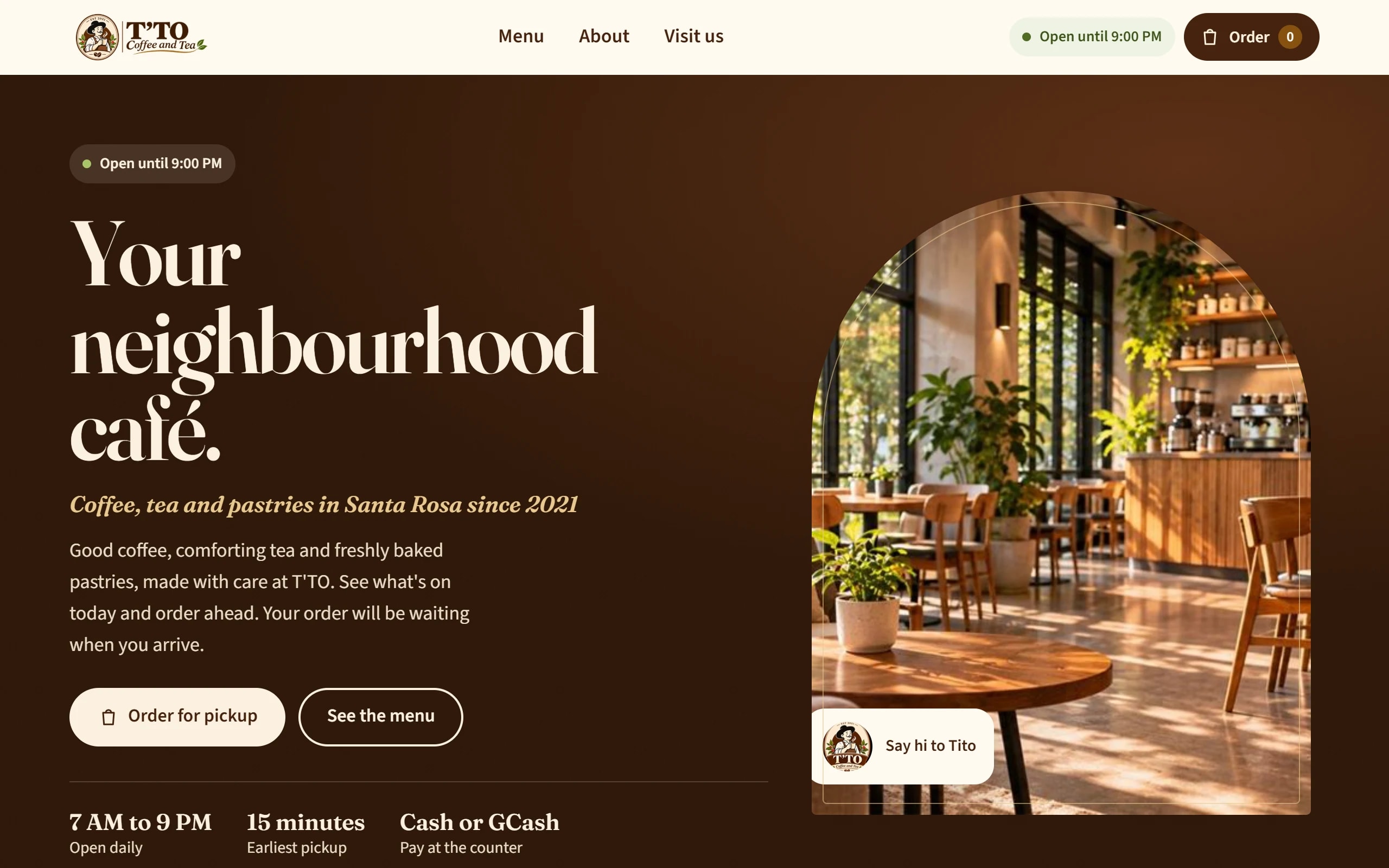
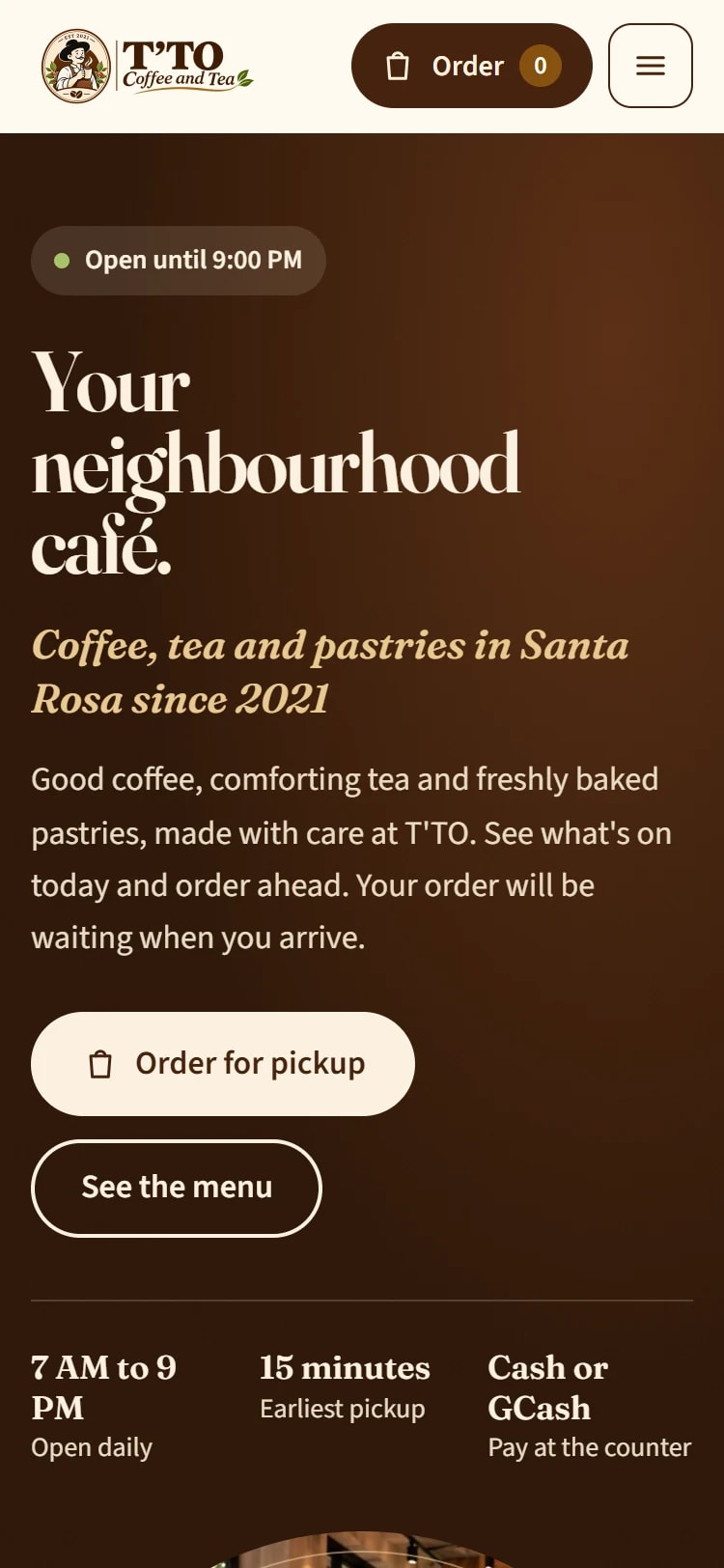
- Site map, design and copy: page designs in the café's own look (espresso brown, cream, gold and leaf green, with its mascot Tito), signed off before building.
- Build in small, approved steps: foundation, accounts, menu, ordering, opening hours, the staff screen, the order page, the daily summary and the pages. Each step went to a private test site and was approved before the next one started.
- Quality and security: a security review and a pre-launch security check, browser and device testing, and an end-to-end ordering test.
- Client review and sign-off, then handover.
32 planned tasks, all completed. The site is built to suit a small café's budget and hosting: a fast, server-rendered PHP site with a MariaDB database on standard Hostinger hosting, with nothing for the café to install or maintain.
The solution
For customers
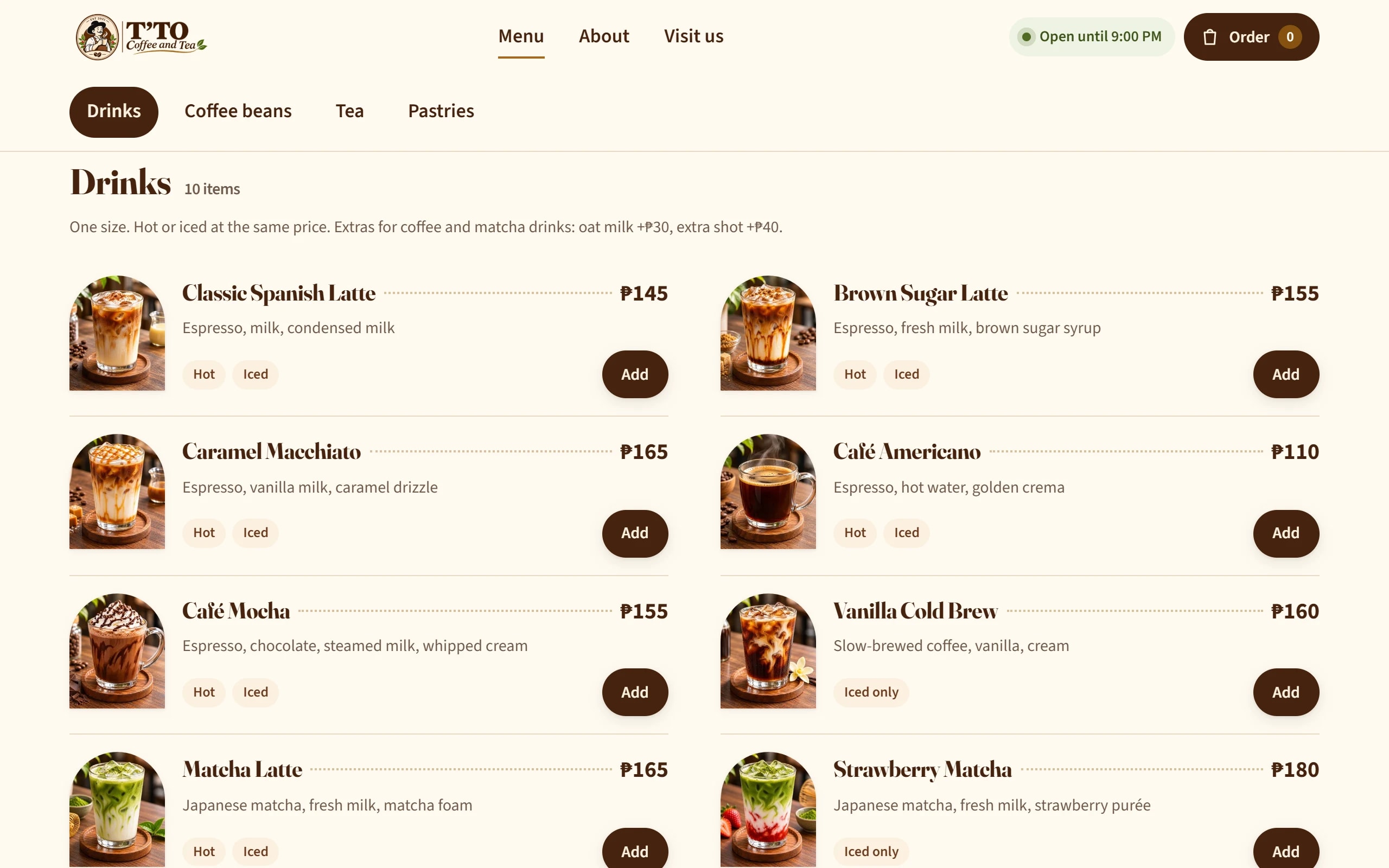
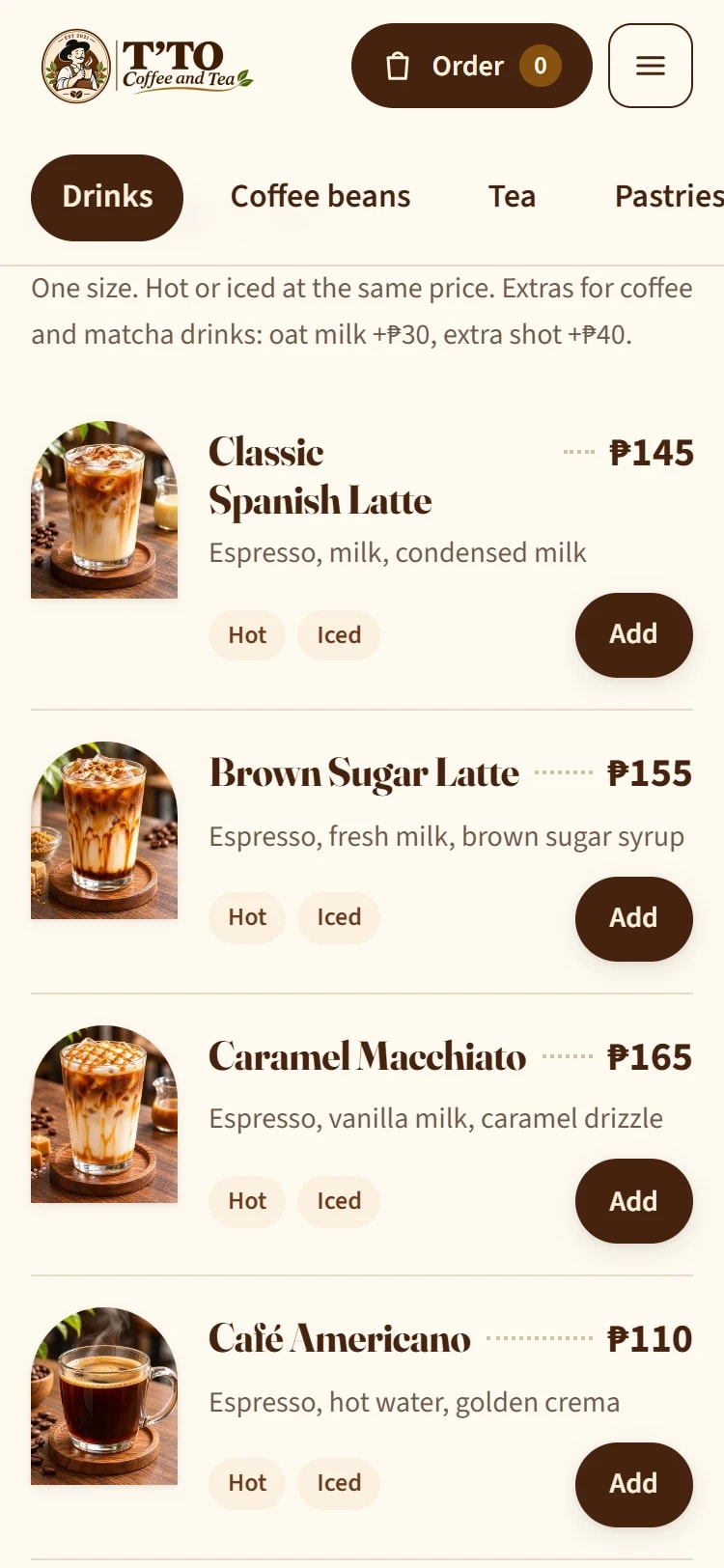
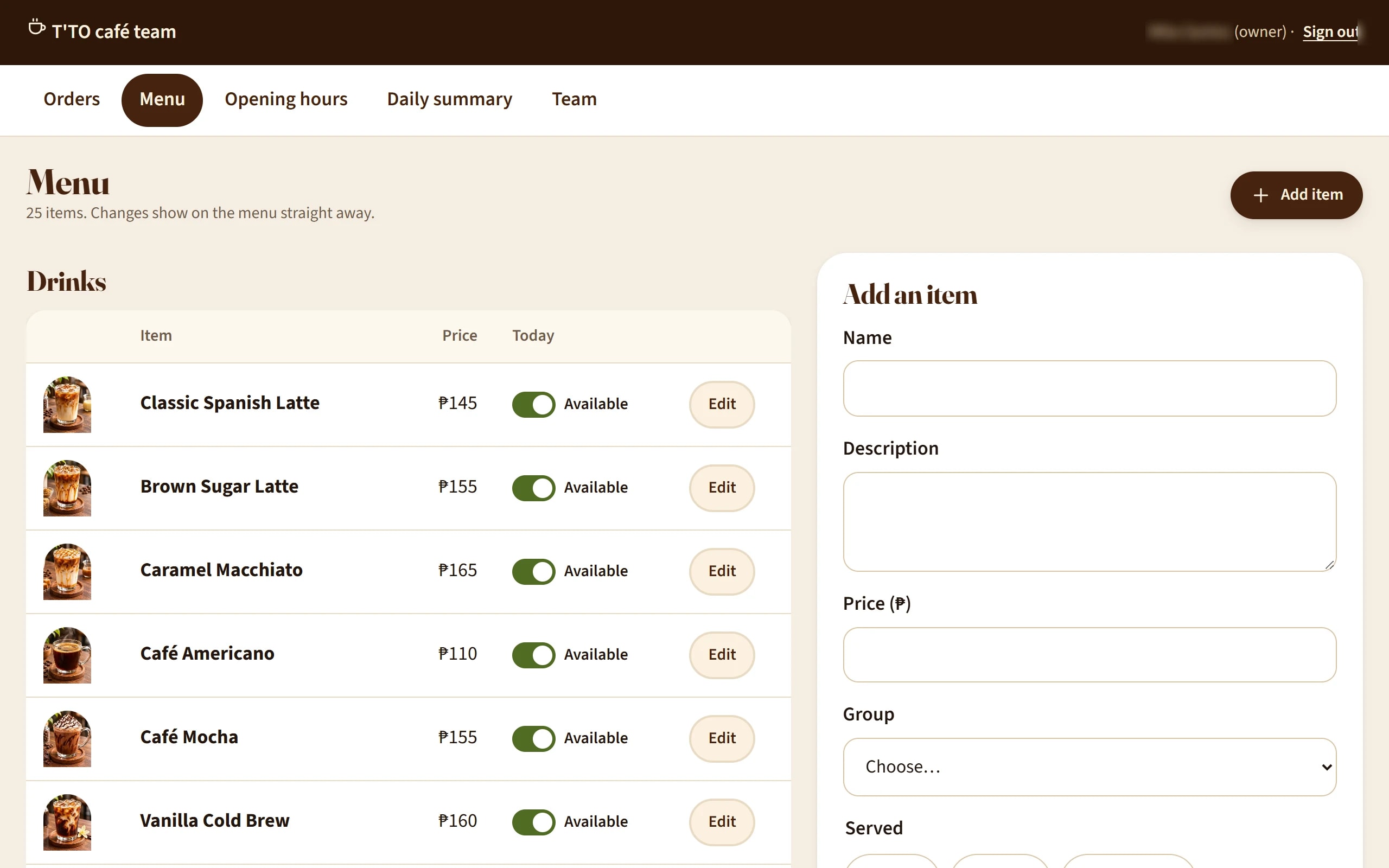
- A real menu online: 25 items in four groups (drinks, coffee beans, tea and pastries), with photos, descriptions and prices. Sold-out items are labelled.
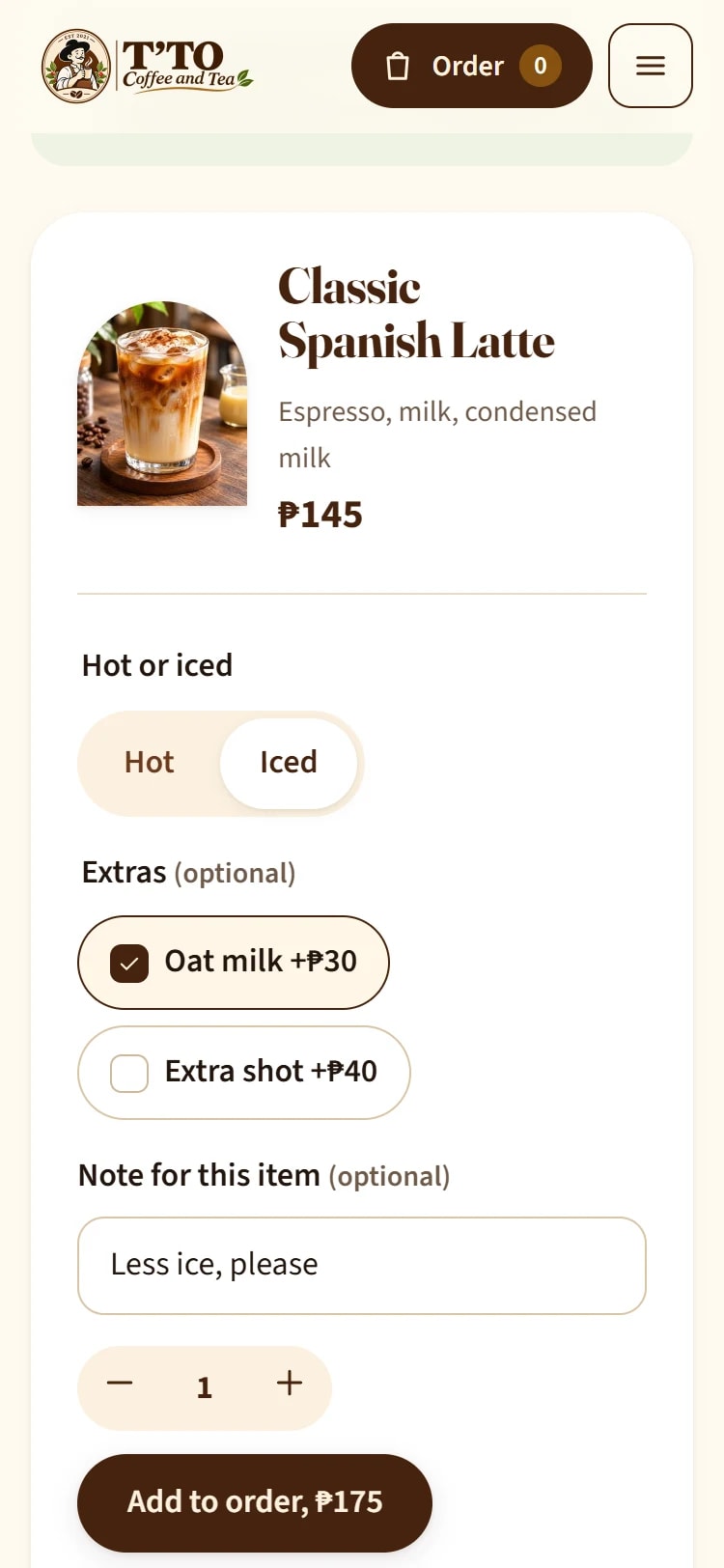
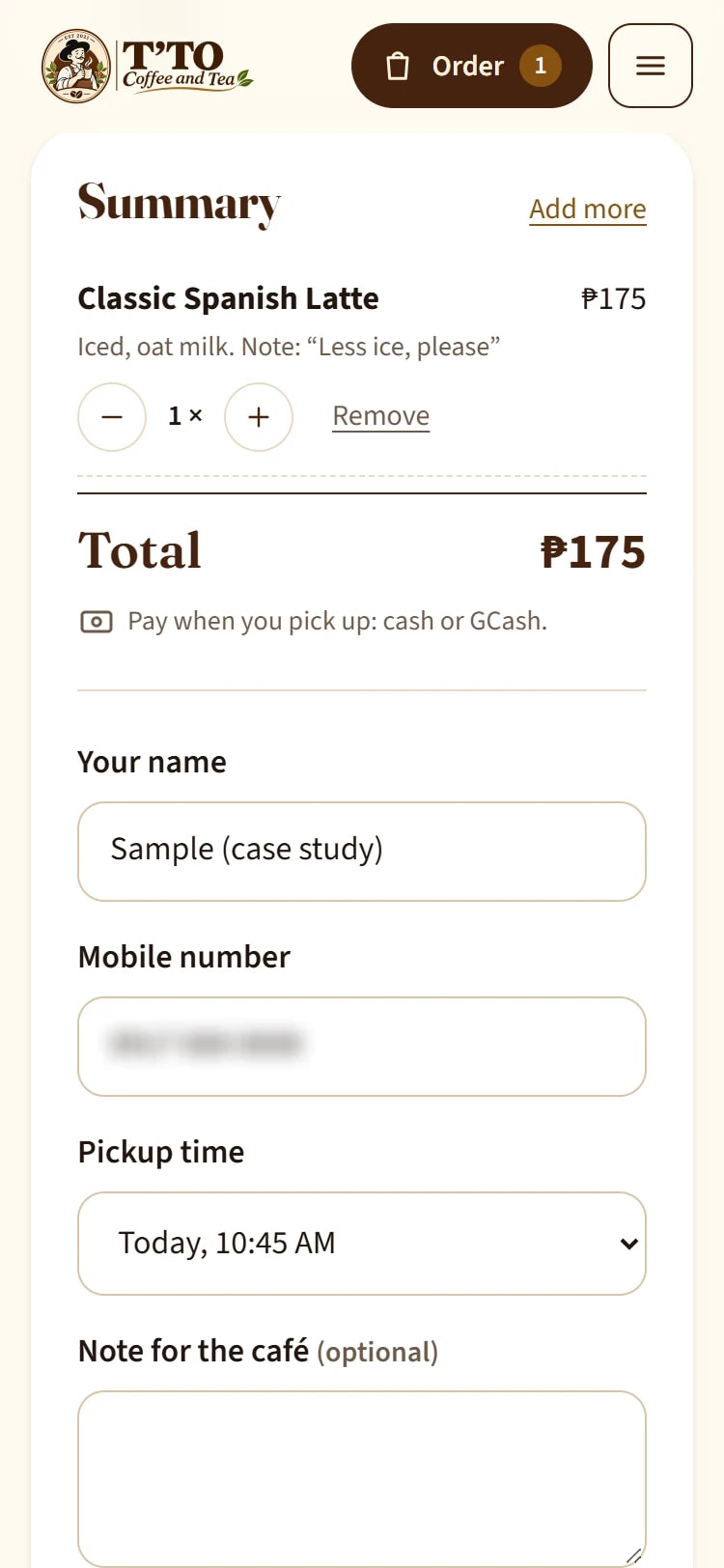
- Order for pickup in a few taps: hot, iced or blended where offered, extras such as oat milk or an extra shot, a note, a pickup time, then name and phone. The order number appears straight away. Customers pay at pickup, by cash or GCash in person, as before.
- Ordering only when the café is open: outside opening hours, or while staff have paused ordering during a rush, customers can still browse and are told when ordering opens again.
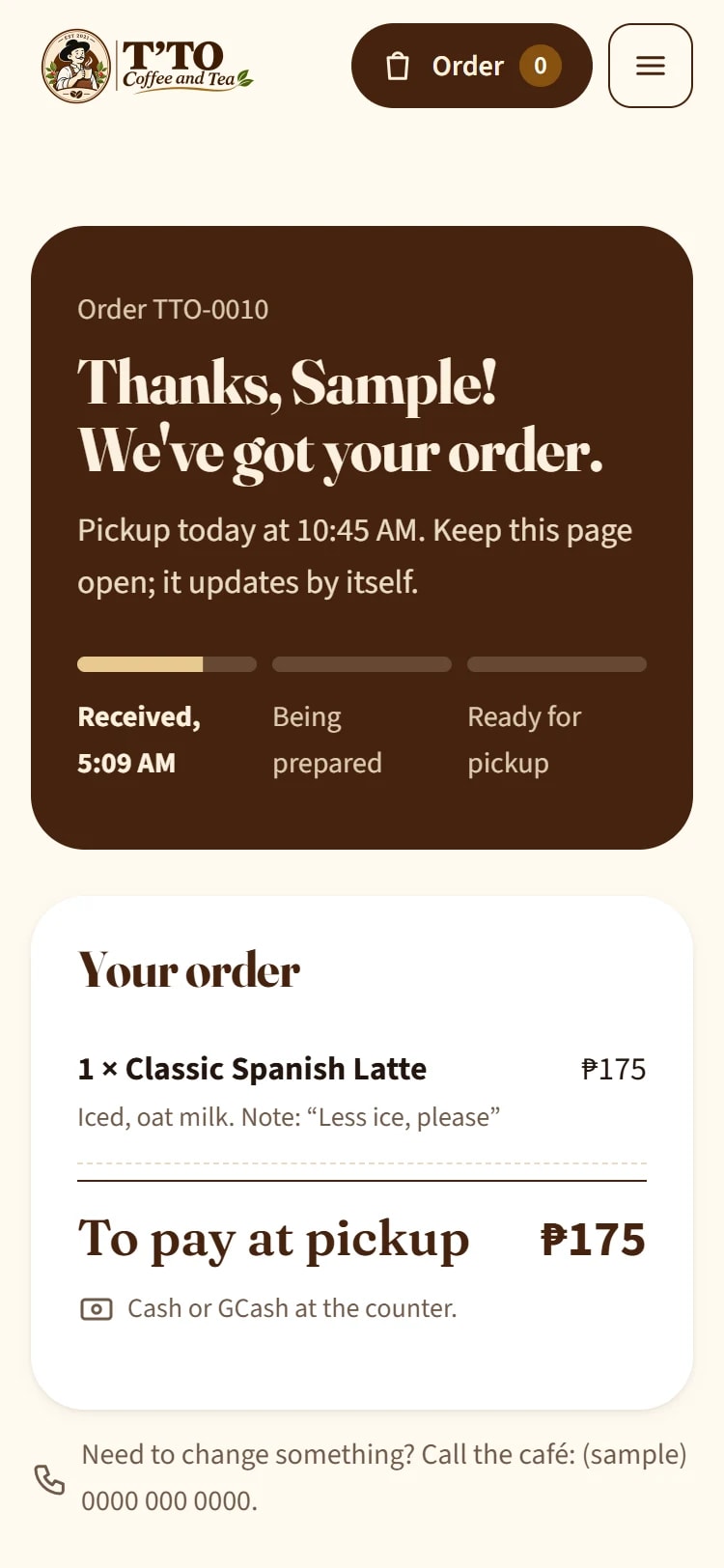
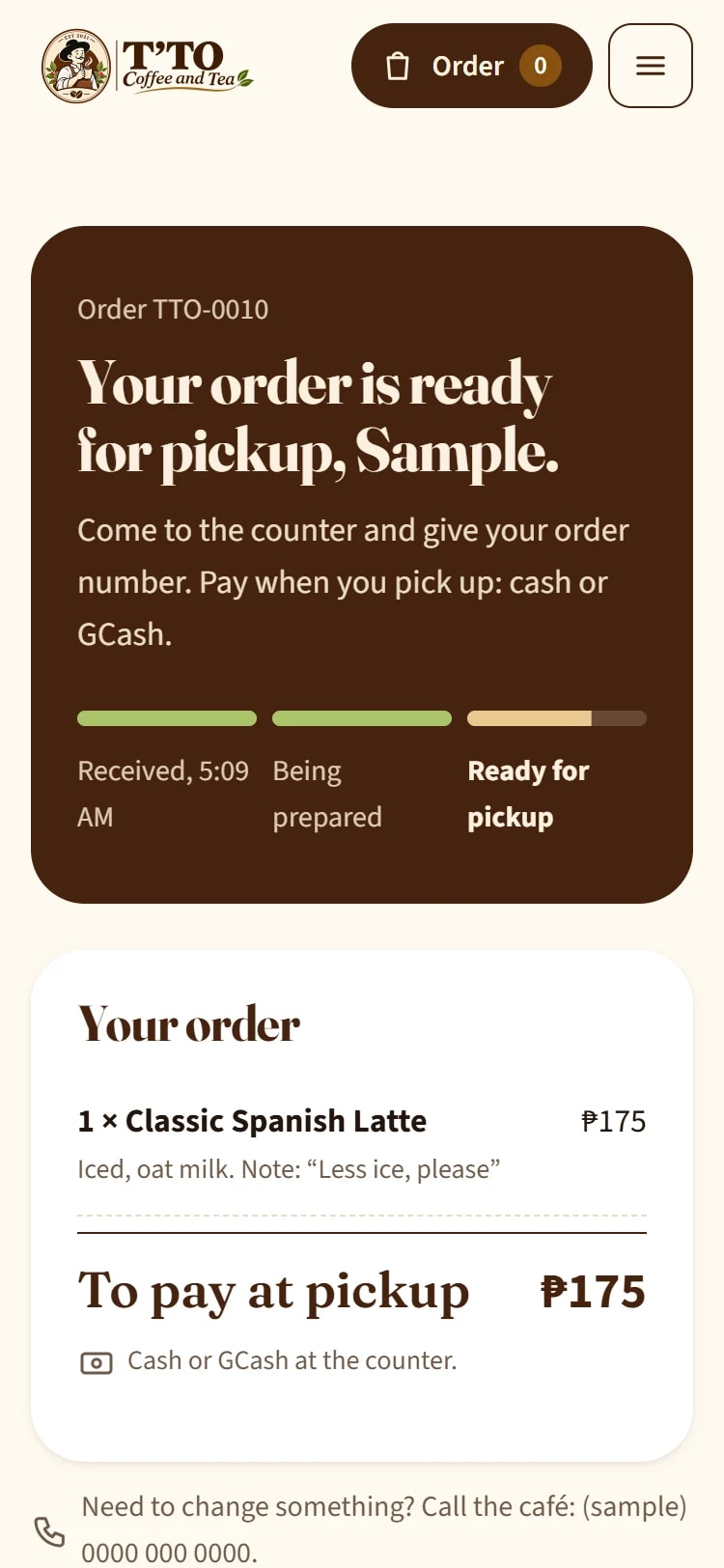
- A private order page that updates itself: received, being prepared, ready for pickup. No need to call and ask.
For the team
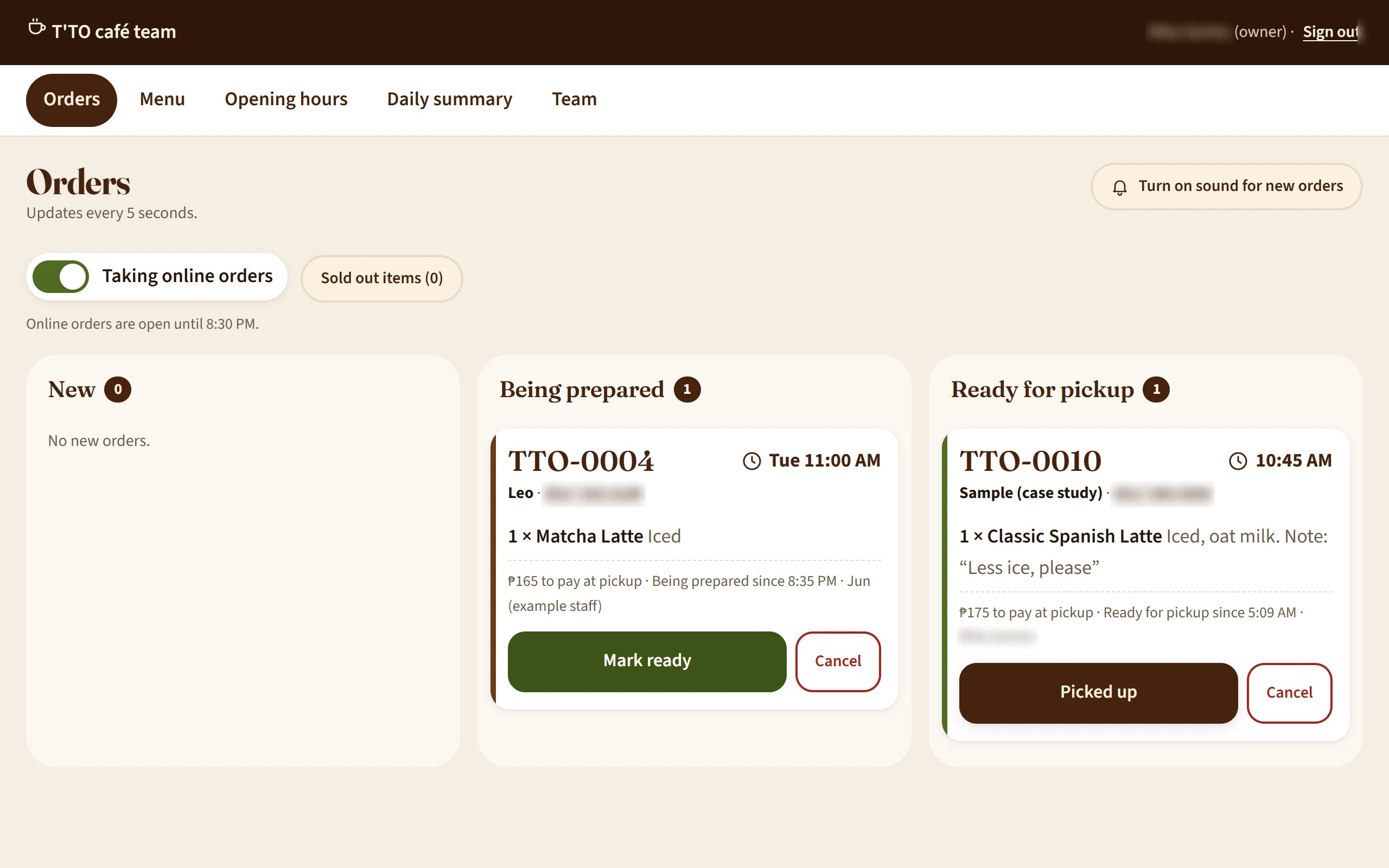
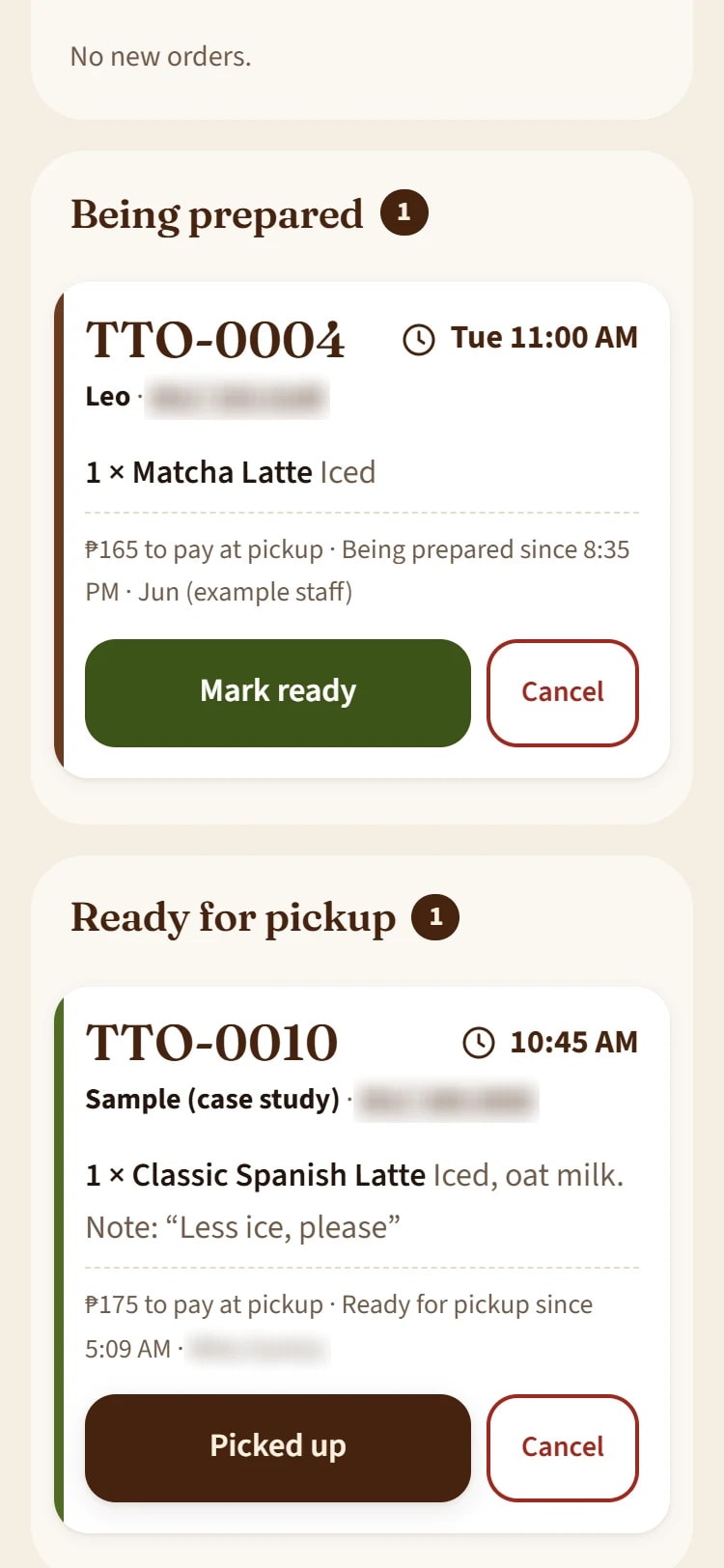
- One order screen at the counter, on a phone or tablet. New orders slide in within seconds, with an optional sound. One tap moves an order from new to preparing, ready and picked up. A cancellation needs a reason.
- Sold out and pause in one place: anyone on shift can mark an item sold out, or pause ordering with one switch.
For the owner
- Menu editor: prices, descriptions, photos and availability, without a developer.
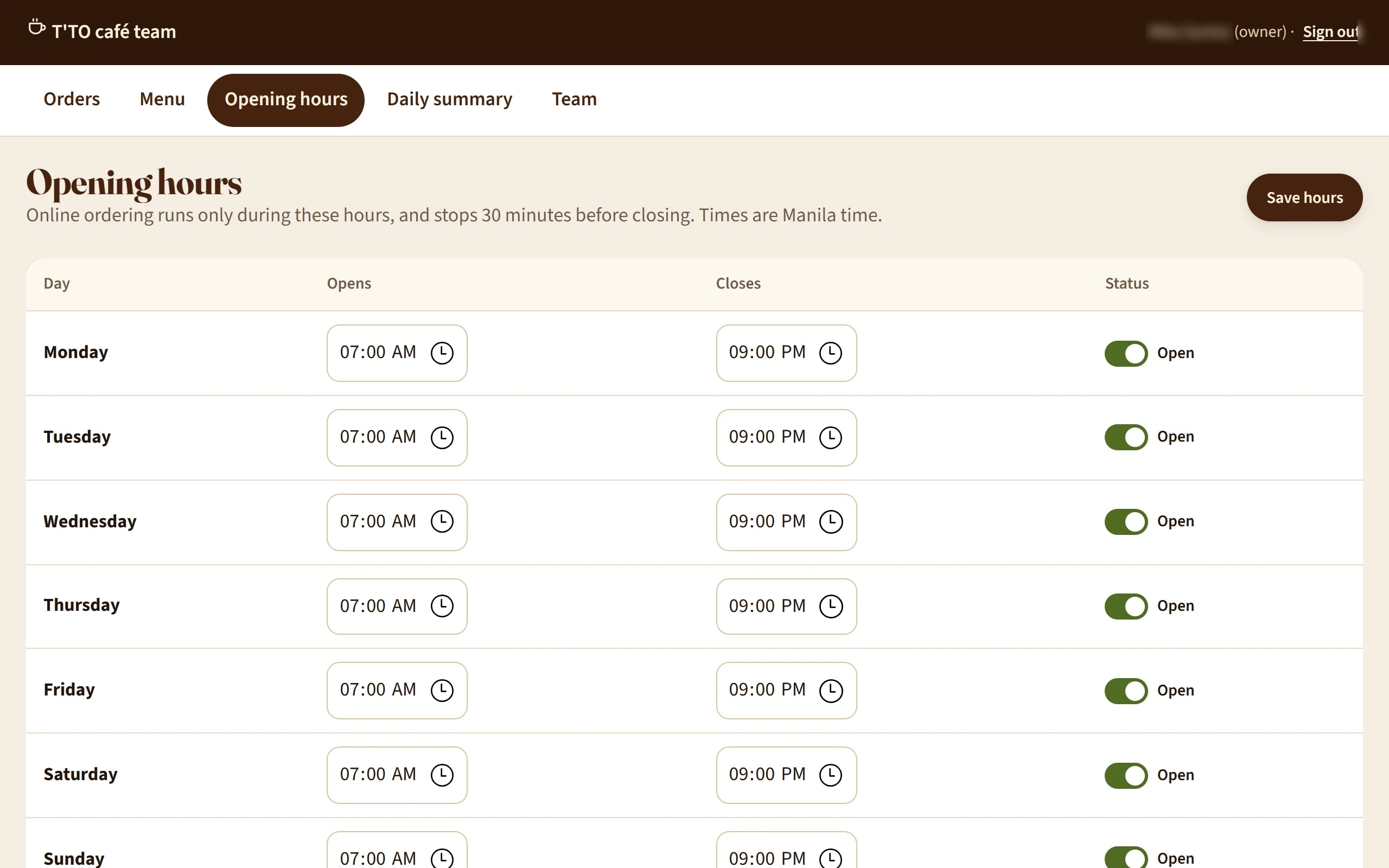
- Opening hours that control when ordering is accepted.
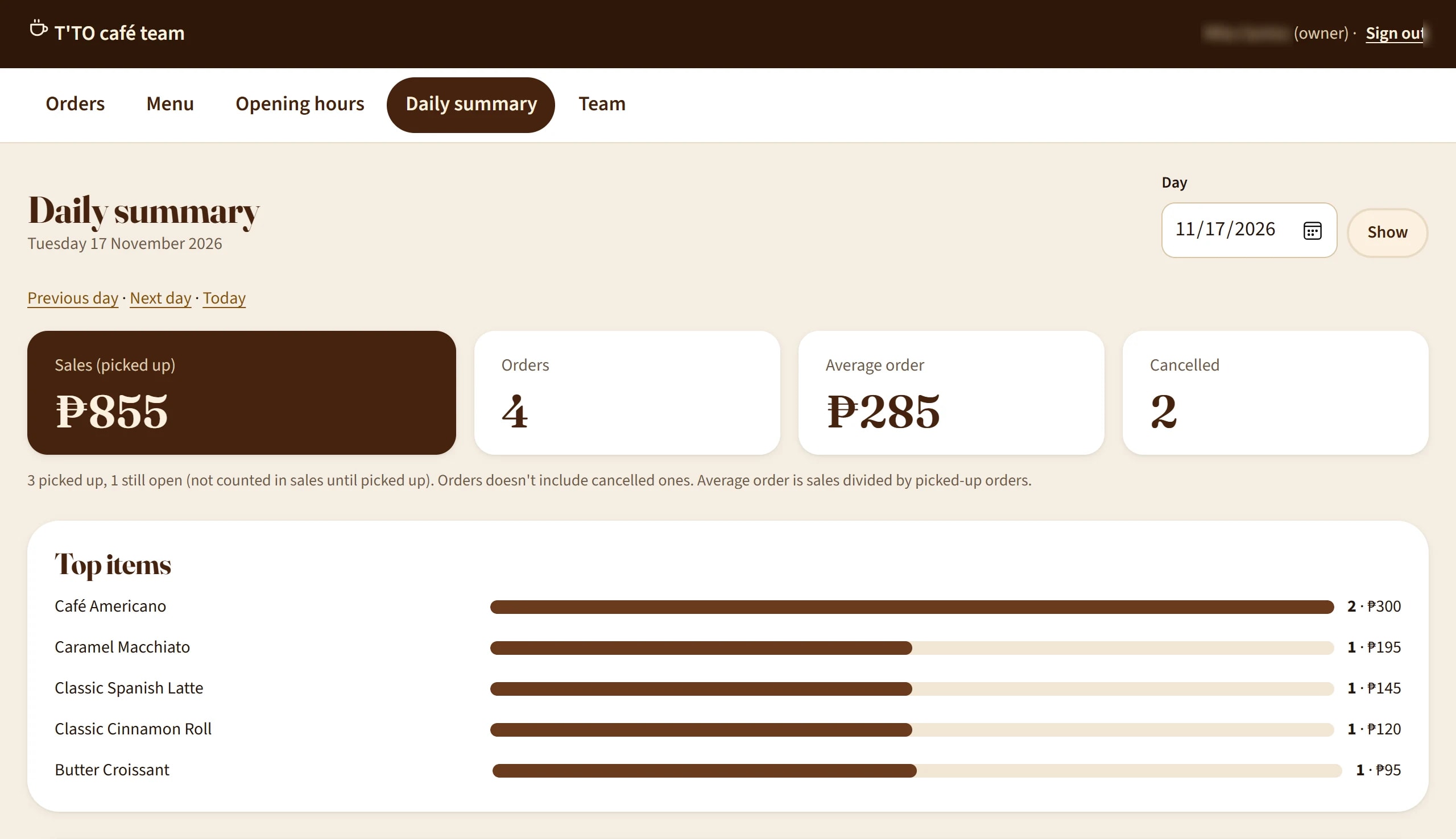
- Daily summary: sales from picked-up orders, number of orders, average order, cancellations with reasons and top items, all worked out from the orders themselves.
- Team accounts: staff get the order screen; only the owner can change the menu, hours and team.
- Forgotten password? The owner resets it herself with a one-time email link (added after launch as a change request).
How it works day to day
A customer opens the menu on a phone, picks an iced Spanish latte with oat milk and chooses a pickup time. The order number appears straight away, with a link to the order page.
At the counter the order slides onto the team's screen. The barista taps "Preparing", then "Ready". On the customer's phone the order page changes to "Ready for pickup" by itself.
At closing time the owner opens the daily summary and sees the day's sales and top items, with no receipts to add up.
Results
Because T'TO is a demonstration, there are no sales figures to report, and we won't invent any. What we can show is what was delivered and how it was checked:
- Everything in the agreed scope was delivered, and the site is live for you to try.
- 85 automated tests pass on the current code.
- End-to-end ordering test: 31 of 31 cases passed, covering customers, staff and the owner, on phone and computer.
- Accessibility: a Lighthouse accessibility score of 100 on every page, and full keyboard use with visible focus.
- Works on phones, tablets and computers: checked in Chrome and Edge at 375, 768 and 1280 pixels wide, with no sideways scrolling. A link check found all 159 links and files working.
- Security: a security review covering 18 areas with every finding fixed, and a pre-launch security check that passed 5 of 5 after one rate-limit fix.
- Privacy by design: customers' names and phone numbers are removed 30 days after pickup, and the order page shows only a first name.
What's next
The site is built to grow. Delivery and paying ahead online are planned as next steps once ordering runs smoothly, and the menu, hours and team are already in the owner's hands.
Do you run a café, restaurant or shop that takes orders by message or on paper? CONSTNTDEV can plan and build the version that fits your business, with the same steps, checks and clear approvals.